Entering the ASOC website
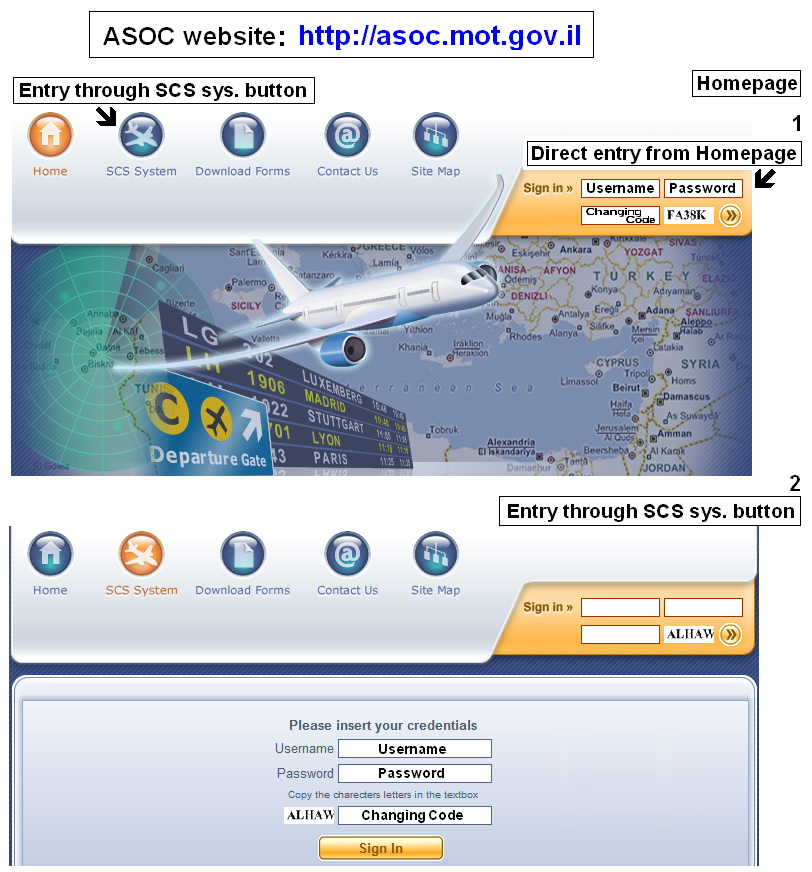
Logging into the website
Username = MBT Number
Number only
Without the letters MBT or the # Mark
Password = Permission details
Case sensitive - copy small and capital letters as on the permit page
Both username and password are good for one entry to the ASOC website and cannot be re-used
They are not the entry code = positive code required in order to enter Israeli FIR
Changing Code
Copy the letters in the box to the Right/ Left (not case sensitive)
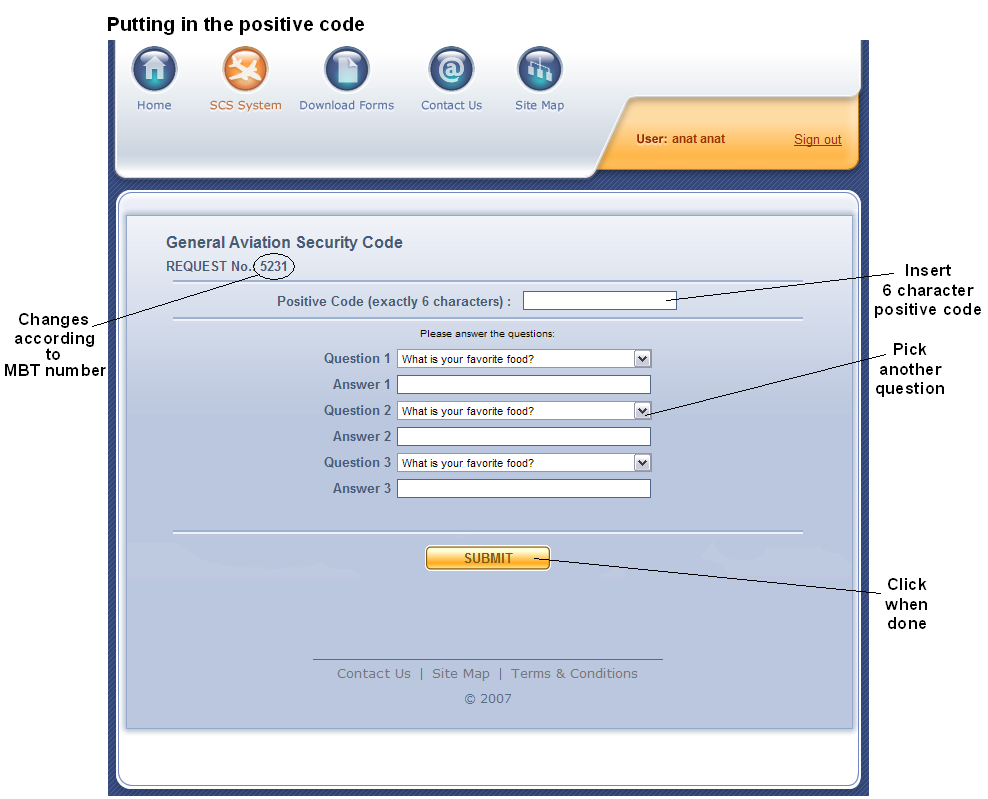
After successful login: Putting in the positive code
Chose a 6 character (letters/ numbers/ mixed) personal code
Insert the code in the box next to 'Positive Code'
Answer three personal questions below: all questions will first appear similar (favorite food), use the scroll menu to pick two other options
The Positive code and the answers to the three personal questions must be known to the captain only!
The positive code is the entry code asked by air traffic control when entering the Israeli FIR
The code must be spelled phonetically on the radio
Successful submission
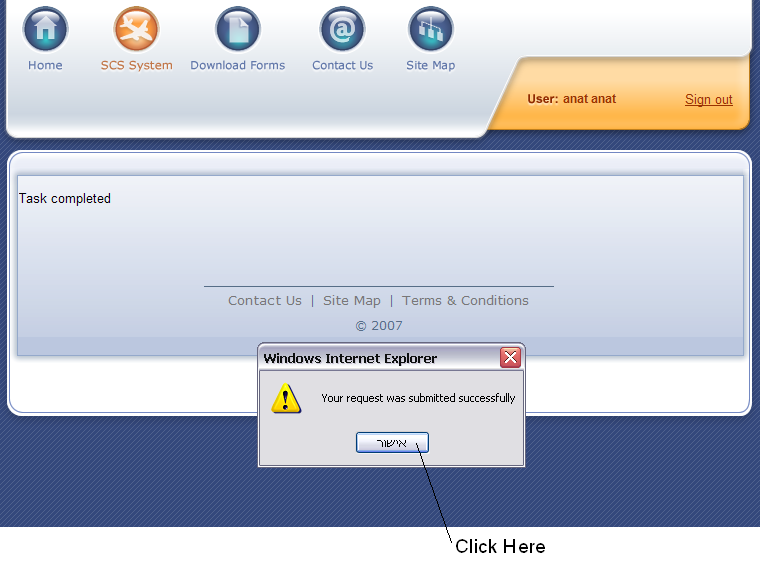
Click to Finalize submission
Call ASOC if any other message appears
Good Luck, Safe Flights!